Table of Contents
TogglePlayStation for beginners can feel overwhelming at first. Sony’s gaming ecosystem offers multiple consoles, thousands of games, and features that take time to learn. This guide breaks down everything new players need to know. From picking the right console to finding great starter games, each section covers practical steps to get gaming fast. Whether someone received a PlayStation as a gift or decided to finally join the fun, this complete guide makes the process simple and straightforward.
Key Takeaways
- The standard PS5 offers the most flexibility for PlayStation beginners, with disc support for physical games, Blu-rays, and better resale value.
- Create a free PlayStation Network (PSN) account during setup and enable two-factor authentication immediately for account security.
- Start with Astro’s Playroom (pre-installed and free) to learn DualSense controller features before diving into other games.
- PS Plus subscriptions provide monthly free games and access to large game catalogs—perfect for new players exploring different genres.
- Consider storage expansion early, as modern PS5 games can exceed 100GB and the console only has about 667GB of usable space.
- PlayStation beginners on a budget can opt for a used PS4, which still runs thousands of excellent games at lower prices.
Choosing the Right PlayStation Console
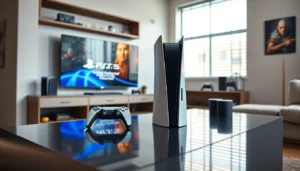
The first decision any PlayStation beginner faces is which console to buy. Sony currently sells two main options: the PlayStation 5 and the PlayStation 5 Digital Edition.
The standard PlayStation 5 includes a disc drive. This allows players to buy physical games, watch Blu-ray movies, and access their existing game collections. The Digital Edition costs less but only plays downloaded games from the PlayStation Store.
For most beginners, the standard PS5 offers more flexibility. Physical games often go on sale at retail stores, and players can resell them when finished. The disc drive also future-proofs the purchase.
Budget-conscious buyers might consider a used PlayStation 4. While older, the PS4 still runs thousands of excellent games. Many PS4 titles cost under $20, making it an affordable entry point into the PlayStation ecosystem.
Here’s a quick comparison:
| Console | Price Range | Best For |
|---|---|---|
| PS5 Standard | $499 | Full experience, disc collectors |
| PS5 Digital | $449 | Digital-only buyers |
| PS4 (used) | $150-250 | Budget gamers, casual players |
New PlayStation owners should also consider storage needs. The PS5 comes with roughly 667GB of usable space. Modern games can exceed 100GB each, so an external hard drive or expansion SSD may become necessary.
Setting Up Your PlayStation for the First Time
Setting up a PlayStation takes about 15-30 minutes. The process is straightforward, but a few tips can save time and frustration.
First, connect the console to a TV using the included HDMI cable. The PS5 supports 4K resolution, so use a compatible TV to get the best visuals. Plug in the power cable and press the power button on the console.
The setup wizard walks users through each step. It asks for language preferences, internet connection details, and time zone settings. A wired ethernet connection provides the most stable online experience, but Wi-Fi works fine for most households.
Creating a PlayStation Network (PSN) account is essential. This free account allows users to download games, access the PlayStation Store, and play online (with a PS Plus subscription). Use a real email address, Sony sends important security notifications and purchase receipts there.
During setup, the system will likely need a software update. These updates can take 10-20 minutes depending on internet speed. Don’t skip them: updates fix bugs and add new features.
A few pro tips for PlayStation beginners:
- Enable two-factor authentication immediately for account security
- Download the PlayStation App on a smartphone for easy typing and remote purchases
- Set the console to rest mode instead of fully powering off, this allows background downloads and faster startup times
Understanding the PlayStation Interface and Features
The PlayStation 5 interface centers on two main screens: the Home screen and the Control Center.
The Home screen displays recently played games and apps in a horizontal row. Below each game, players see activity cards, quick links to specific missions, challenges, or multiplayer modes. This feature helps beginners jump right into action without navigating menus.
Pressing the PlayStation button on the controller opens the Control Center. This overlay provides quick access to:
- Friends list and party chat
- Downloads and notifications
- Sound and microphone settings
- Power options
- Music playback controls
The PlayStation Store lives on the Home screen. Here, players browse and purchase games, add-ons, and subscriptions. Sales happen regularly, especially during seasonal events. Smart PlayStation beginners add games to their wishlist and wait for discounts.
PS Plus is Sony’s subscription service. The Essential tier ($60/year) grants online multiplayer access and 2-3 free games monthly. Higher tiers add game catalogs and cloud streaming. New PlayStation owners should claim the monthly games even before playing them, they remain in the library as long as the subscription stays active.
The Explore section shows news, updates, and recommendations. It’s useful for discovering new releases but can be ignored if preferred.
One underrated feature: the built-in screen recording. Double-tap the Create button to start recording gameplay. This captures highlights without any external equipment.
Essential Accessories for New PlayStation Owners
The PlayStation 5 includes one DualSense controller, but most beginners will want a few additional accessories.
Second Controller
Local multiplayer requires two controllers. The DualSense costs around $70, but third-party options exist for less. Stick with Sony’s official controller for the best experience, its haptic feedback and adaptive triggers make games feel incredible.
Charging Station
The DualSense battery lasts roughly 12-15 hours. A charging dock keeps controllers ready without fumbling with USB cables. Sony’s official station charges two controllers simultaneously.
Headset
A good headset improves both single-player immersion and online communication. Sony’s Pulse 3D headset was designed specifically for PS5’s 3D audio. Budget options work too, any headset with a 3.5mm jack plugs directly into the controller.
Storage Expansion
Games fill up storage fast. The PS5 accepts specific NVMe SSDs that meet Sony’s speed requirements. Samsung, Western Digital, and Seagate all make compatible drives. Expect to spend $100-150 for 1TB of additional space.
TV or Monitor Considerations
PlayStation beginners with older TVs won’t see the PS5’s full potential. A 4K TV with HDR support and HDMI 2.1 delivers the best experience. But, the console works perfectly fine on 1080p displays.
Skip the premium HDMI cables marketed for gaming. The included cable handles everything the PS5 outputs.
Best Games to Start Your PlayStation Journey
Choosing first games can paralyze new PlayStation owners. Here are proven starting points across different genres.
Astro’s Playroom (Free, Pre-installed)
Every PS5 includes this game. It teaches controller features through clever platforming challenges. The game showcases the DualSense’s haptic feedback and adaptive triggers better than anything else. Play it first, seriously.
Spider-Man: Miles Morales
This action-adventure game offers accessible combat, a great story, and stunning New York City visuals. It runs beautifully on PS5 and takes about 10-15 hours to complete. Perfect for beginners who want something exciting but not overwhelming.
Ratchet & Clank: Rift Apart
A colorful shooter-platformer that demonstrates PS5 hardware perfectly. The difficulty scales well for newcomers, and the characters are genuinely fun.
God of War Ragnarök
For players wanting a longer, story-driven experience. The combat has depth but remains approachable on easier difficulty settings. Playing the 2018 God of War first helps, but isn’t required.
FIFA or NBA 2K Series
Sports fans should grab the latest entry in their preferred sport. These games work great for local multiplayer when friends visit.
Fortnite or Rocket League (Free)
Both are free-to-play and perfect for testing online multiplayer. They’re also excellent for playing with friends on other platforms.
PlayStation beginners should start with PS Plus Extra or Premium subscriptions to access game catalogs. This provides hundreds of titles for a monthly fee instead of buying everything individually.