Table of Contents
ToggleThis PlayStation guide covers everything beginners need to know before diving into Sony’s gaming ecosystem. Whether someone is buying their first console or returning after years away, the options can feel overwhelming. PlayStation 5, PlayStation 4, digital editions, disc versions, there’s a lot to consider.
This guide breaks down the decision-making process into clear steps. Readers will learn how to choose the right console, set it up properly, customize key settings, and build a solid game library. By the end, anyone can confidently start their PlayStation journey without second-guessing their choices.
Key Takeaways
- Choose between PlayStation 5 for the best performance and future-proof gaming, or PlayStation 4 for a budget-friendly entry point.
- Enable two-factor authentication on your PSN account immediately to protect against account theft.
- Subscribe to PlayStation Plus Extra for the best value, offering online multiplayer and a catalog of hundreds of downloadable games.
- Use the free PlayStation App to manage downloads remotely so games are ready when you get home.
- Save money by wishlisting games for sale notifications, buying used physical discs, and exploring free-to-play titles.
- This PlayStation guide recommends starting with acclaimed exclusives like God of War Ragnarök, Spider-Man 2, and Horizon Forbidden West.
Choosing the Right PlayStation Console
The first step in any PlayStation guide is picking the right hardware. Sony currently sells two main options: the PlayStation 5 and the PlayStation 4. Each serves different needs and budgets.
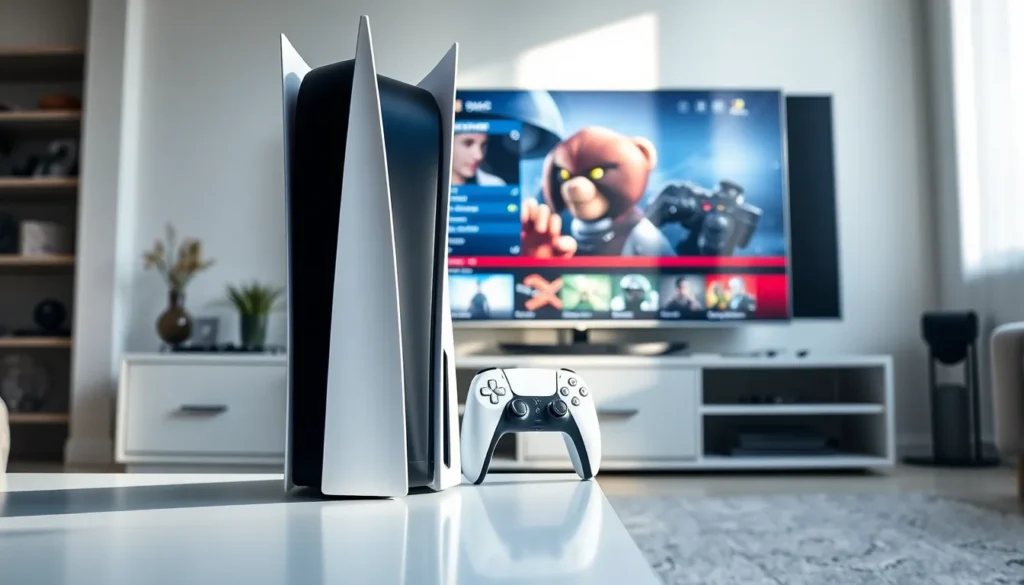
The PlayStation 5 is Sony’s latest console. It offers faster load times, improved graphics, and exclusive games that won’t appear on older hardware. The PS5 comes in two versions: the Standard Edition with a disc drive and the Digital Edition without one. The Digital Edition costs less but limits players to downloading games from the PlayStation Store.
The PlayStation 4 remains a solid choice for budget-conscious buyers. It can’t match the PS5’s performance, but it still runs thousands of games well. Many popular titles, including God of War Ragnarök and Horizon Forbidden West, work on both consoles.
Here’s a quick comparison:
| Feature | PlayStation 5 | PlayStation 4 |
|---|---|---|
| Price | $449-$499 | $299 |
| Storage | 825GB SSD | 500GB-1TB HDD |
| 4K Gaming | Yes | Limited |
| Exclusive Games | Yes | Fewer going forward |
Buyers who want the best experience and plan to game for several years should choose the PS5. Those on tighter budgets or casual players may find the PS4 offers plenty of value.
Setting Up Your PlayStation for the First Time
Setting up a PlayStation console takes about 20-30 minutes. The process is straightforward, but a few steps require attention.
Step 1: Connect the hardware. Plug the HDMI cable into the TV and the console. Connect the power cable. For wired internet, attach an Ethernet cable to the back of the unit.
Step 2: Power on and follow prompts. Press the power button. The console will guide users through language selection, internet connection, and time zone settings.
Step 3: Create or sign into a PlayStation Network (PSN) account. A PSN account is required to download games, play online, and access PlayStation Plus. Users can create a free account during setup or sign in with existing credentials.
Step 4: Install system updates. The console will likely need a firmware update. This can take 10-15 minutes depending on internet speed. Don’t skip this step, updates fix bugs and add features.
Step 5: Pair the controller. Connect the DualSense (PS5) or DualShock 4 (PS4) controller using the included USB cable. Press the PS button to pair it.
One common mistake: forgetting to enable two-factor authentication on the PSN account. This PlayStation guide strongly recommends turning it on immediately. Account theft happens, and recovery is a hassle.
Essential Features and Settings to Customize
A PlayStation console works fine out of the box, but adjusting a few settings improves the experience significantly.
Display and Video Settings
Go to Settings > Screen and Video to match the console’s output to the TV’s capabilities. Enable HDR if the TV supports it. PS5 owners should also check if their TV can handle 120Hz output for smoother gameplay in supported titles.
Audio Settings
The PS5 supports 3D Audio through compatible headphones. Enable this under Settings > Sound > Audio Output. It creates a more immersive soundscape in games that support the feature.
Power Saving Options
Rest Mode lets the PlayStation download updates and charge controllers while using minimal power. Configure this under Settings > System > Power Saving. Set the console to enter Rest Mode after a period of inactivity.
Privacy and Notifications
Adjust who can see online status, send friend requests, or view trophies under Settings > Users and Accounts > Privacy. Disable unnecessary notifications to avoid interruptions during gameplay.
Storage Management
Both PS4 and PS5 consoles fill up quickly. Check storage regularly under Settings > Storage. Delete games that aren’t being played. PS5 owners can add an NVMe SSD for extra space, a worthwhile investment for anyone with a large game library.
Building Your Game Library
Games cost money, but smart shopping stretches a budget further. This PlayStation guide recommends several strategies for building a collection without overspending.
PlayStation Plus is Sony’s subscription service. The Essential tier ($60/year) provides online multiplayer access and monthly free games. The Extra tier adds a catalog of hundreds of downloadable titles. Premium includes game trials and classic PlayStation games. For most players, Extra offers the best value.
PlayStation Store sales happen frequently. Major sales occur during Black Friday, holiday seasons, and throughout summer. Wishlisting games sends notifications when prices drop.
Physical disc games (for non-Digital Edition owners) often cost less than digital versions, especially used copies. Local game stores and online marketplaces like eBay offer significant discounts on older titles.
Free-to-play games require no purchase. Fortnite, Warzone, Genshin Impact, and Rocket League are popular options that don’t even require PlayStation Plus for online play.
New PlayStation owners should consider these critically acclaimed titles to start:
- God of War Ragnarök
- Spider-Man 2
- Horizon Forbidden West
- The Last of Us Part I
- Final Fantasy XVI
- Elden Ring
Mixing subscription benefits, sale hunting, and a few full-price purchases creates a solid library without very costly.
Tips for Getting the Most Out of Your PlayStation
Owning a PlayStation is one thing. Getting the full experience is another. These tips help users maximize their investment.
Use the PlayStation App. The free mobile app lets users manage downloads remotely, chat with friends, and browse the store. Starting a download from work means the game is ready when arriving home.
Take advantage of game sharing. Two PlayStation accounts can share purchased digital games. One account sets the other’s console as its “primary” device. Both users can then play purchased games on their respective consoles. It’s a legitimate feature, not an exploit.
Clean the console regularly. Dust buildup causes overheating and loud fan noise. Wipe down the exterior weekly. Every few months, use compressed air to clear vents. PS5 owners can remove the faceplates for easier access to dust catchers.
Join PlayStation communities. Reddit communities like r/PlayStation and r/PS5 share deals, troubleshoot issues, and discuss upcoming releases. Discord servers offer similar benefits plus voice chat with other players.
Check trophy lists before starting games. Trophy hunters should review requirements early. Some trophies become unobtainable after missing specific story moments or making certain choices.
Invest in accessories gradually. A second controller is useful for local multiplayer. Quality headphones improve immersion. A charging dock keeps controllers ready. But none of these are essential on day one, buy them as needs arise.